

Why S3 Vectors?
For years, organizations have stored an astronomical amount of unstructured data—images, documents, audio files, and system logs—in Amazon S3. S3 is arguably the most widely used object storage platform on the planet.
By bringing vector indexing directly to the storage layer, AWS is betting that customers will leverage S3 Vectors due to its advantages:
- Cost Reduction: Per AWS, migrating vector workloads from always-on, provisioned database clusters to S3 Vectors' pay-per-query model can yield up to a 90% reduction in total costs.
- The Multimodal Language: Embeddings are a universal language that can uniquely represent any modality: text, images, video, sound, or code.
- Massive Scale: S3 is built for exabyte-scale durability. S3 Vectors inherits this elasticity, effortlessly scaling to indexes containing billions of multi-modal vectors without the developer ever touching a provisioning slider.
Ways to Leverage S3 Vectors Today
AWS has integrated this capability across their ecosystem, providing developers with three primary avenues for adoption:
- Directly Quirying the S3 API: You can orchestrate your own embeddings pipeline (e.g., using open-source models) and interact with S3 directly via the native
PutVectorsandQueryVectorsAPI endpoints. - Via Amazon Bedrock Knowledge Bases: You can point Bedrock directly at an S3 bucket and allow the managed service to automatically segment files, invoke foundation models (like Titan Multimodal), and push the vectors to your S3 index behind the scenes.
- Via Amazon OpenSearch Integration: S3 Vectors can act as the durable, low-cost backing store for data tiered down from high-performance OpenSearch clusters.
When to choose OpenSearch? If your workload requires ultra-low latency (e.g., single-digit millisecond response times required for high-frequency trading recommendations), extensive bespoke indexing customizations, or dense hybrid search (simultaneously executing strict keyword matching alongside vector similarity across massive data sets), you should consider migrating to Amazon OpenSearch.
S3 Vectors is the champion for affordable, scalable RAG, Agentic memory, and standard similarity search where sub-second latency is perfectly acceptable.
Unlocking Unstructured Data: Use Cases
Organizations face an urgent need to enable unstructured data for LLM consumption. With S3 Vectors acting as the engine, the use cases expand dramatically:
- Multimodal Semantic Search: A user uploads a picture of a vintage couch, and the engine queries an S3 catalog of millions of furniture images to return the closest visual matches.
- Enterprise RAG & Agent Memory: Injecting specific, proprietary domain knowledge (PDFs, internal wikis) into agent workflows in a cost-effective manner.
- Classification & Grouping: Grouping unlabelled data (like millions of customer support tickets or error logs) based on their mathematical vector distance.
- Anomaly Detection: Identifying outliers in cybersecurity logs or medical imaging where the vector representation drifts significantly from established norms.
Walkthrough: A Simple Visual Search App
Let's walk through creating a visual product search engine.
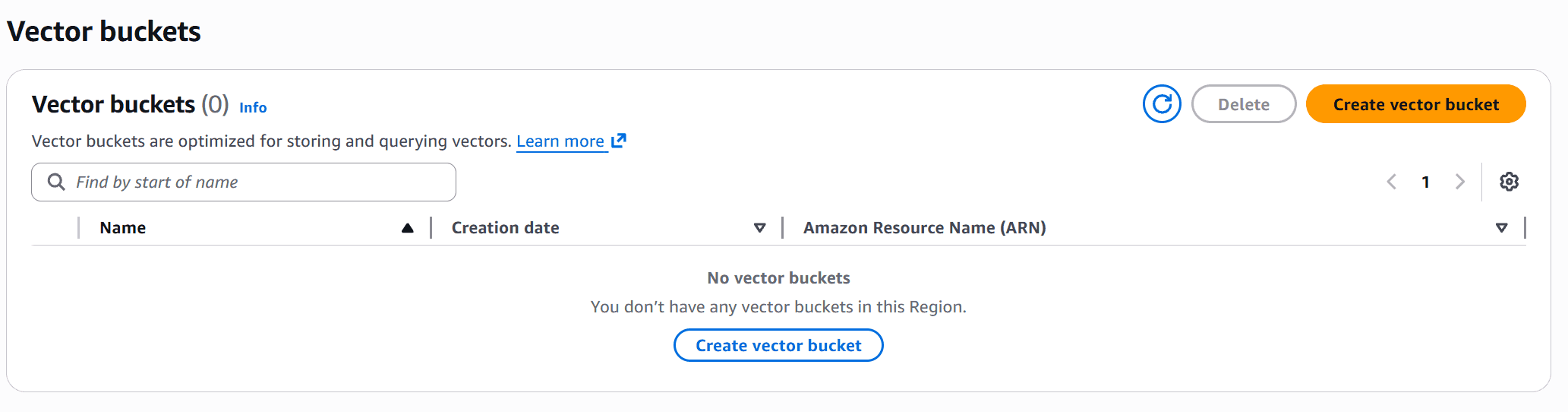
First, we use the AWS console to create a bucket and index.
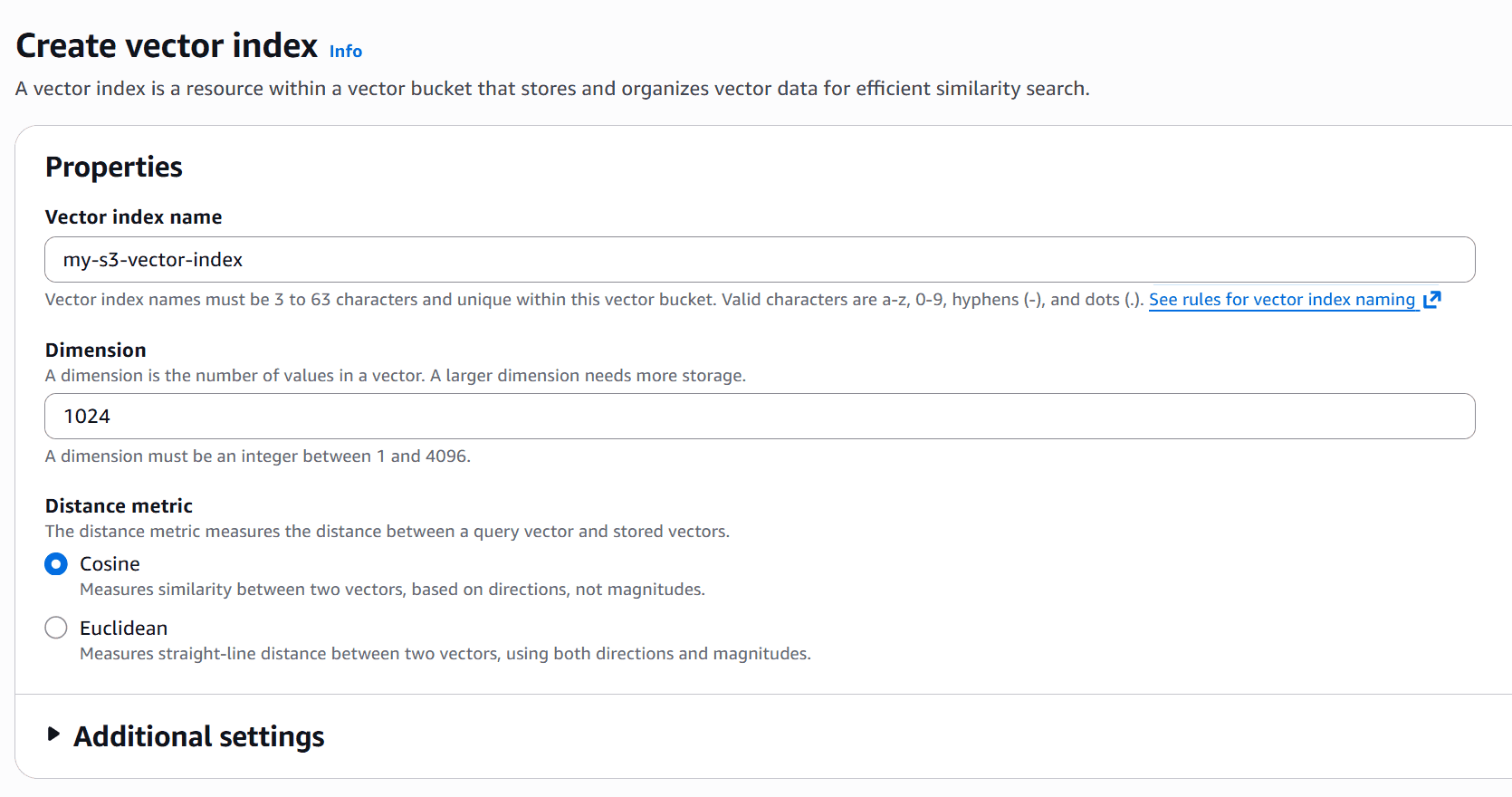
- Dimension (1024): Matches the output size of the model. The Amazon Titan Multimodal model produces a vector array of exactly 1024 numbers, so the S3 Vector index must be configured to accept it.
- Distance metric (Cosine): S3 uses this to calculate "similarity" between vectors when you run a query. Cosine similarity is the industry standard for text and image embeddings because it measures the angle between two vectors — meaning the magnitude (or length) doesn't incorrectly skew the relevance.
With the bucket configured, the following code demostrates the use of Bedrock and S3 Vectors.
- It passes local images or user queries to the Amazon Bedrock
amazon.titan-embed-image-v1multimodal engine. - It pushes the generated vectors to S3 utilizing the
s3.put_vectorsAPI. - When a user uploads a photo, the app embeds it and executes a nearest-neighbor similarity.
import streamlit as st
import boto3
import json

# Initialize our managed AWS clients
bedrock_runtime = boto3.client('bedrock-runtime', region_name='us-east-1')
s3_vectors_client = boto3.client('s3vectors', region_name='us-east-1')

BUCKET = "my-s3-vector-bucket"

def get_titan_embedding(image_bytes=None, text_query=None):
    # Titan accepts images, text, or both to locate the concept in a unified multimodal vector space.
    payload = ... # (Format payload with base64 image or text)

    response = bedrock_runtime.invoke_model(
        modelId="amazon.titan-embed-image-v1",
        contentType="application/json",
        accept="application/json",
        body=json.dumps(payload)
    )
    return json.loads(response.get('body').read()).get('embedding')

# --- Streamlit Action Logic ---
st.title("S3 Vectors")

user_image = st.file_uploader("Upload an image...")

if user_image:
    with st.spinner("Querying..."):
        # 1. embed the user's image query
        query_vector = get_titan_embedding(image_bytes=user_image.read())

        # 2. nearest-neighbor search against S3
        results = s3_vectors_client.query_vectors(
            vectorBucketName=BUCKET,
            indexName="my-s3-vector-index",
            queryVector={'float32': query_vector},
            topK=3,
            returnMetadata=True,
            returnDistance=True
        )

        for match in results.get('vectors', []):
st.write(f"Match Key: {match.get('key')} - Distance: {match.get('distance')}")topK: Dictates how many of the "nearest neighbors" the S3 index should return. Even if a bucket contains millions of vectors, settingtopK=3ensures that only the top 3 mathematically closest visual matches are retrieved, saving significant bandwidth and keeping queries snappy.returnMetadata: S3 Vectors natively omits metadata from query results by default to save payload bandwidth. Setting this toTrueallows you to immediately retrieve the item's custom JSON metadata alongside the matched vectors.
Conclusion
Amazon S3 Vectors represents a significant enhancement to AWS's battle-tested object storage with the language of AI, embeddings. By pushing the complexity of vector indexing down to the highly-durable, cost-optimized storage layer, organizations can rapidly unlock their silos of unstructured data. With the help of SDKs or an ecosystem of higher-level services like Bedrock's Knowledge Base, building advanced, multimodal semantic search engines has become that much more accessible and affordable.


